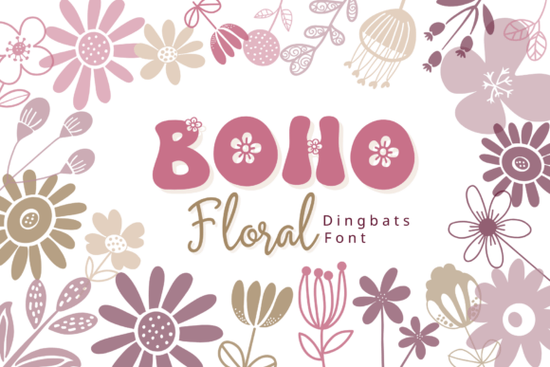
If you've ever wanted to add hand-drawn floral elements to your designs without spending hours in Illustrator, the Boho Floral Font is worth a close look. It's a dingbat font where every letter and number maps to a unique boho-style flower or botanical illustration. You type a character, and a ready-made floral graphic appears no vector skills required.
This makes it especially useful for designers, crafters, and small business owners who regularly need decorative botanical elements for projects like wedding invitations, stickers, planners, and social media graphics.
What Exactly Is a Dingbat Font?
A dingbat font replaces standard letters with symbols, icons, or illustrations. Instead of typing "A" and seeing the letter A, you get a small image in this case, a hand-drawn flower, leaf stem, or wildflower doodle. The Boho Floral dingbat set follows this concept with a full alphabet and number set, each mapped to a different botanical element.
Because dingbat fonts work through your operating system's standard font rendering, they work in virtually any application Canva, Photoshop, Cricut Design Space, Silhouette Studio, Word, and more. You don't need special software or plugin support.
What Kinds of Florals Are Included?
The illustrations in this font lean into a soft, earthy, bohemian aesthetic. You'll find a mix of:
- Stylized daisies and blooming buds simple, rounded shapes that layer well
- Elegant leaf sprigs and wildflower stems great for borders and frames
- Botanical clusters perfect as standalone focal points on cards or tags
- Fine linework with a minimal feel keeps designs looking clean rather than cluttered
Each glyph is designed to work on its own or in combination with others, so you can build patterns, borders, and decorative compositions by typing sequences of characters.
How Can I Use This Font in My Projects?
Here are some practical ways people use botanical dingbat fonts like this one:
- Wedding invitations and stationery layer floral icons around text for an organic, romantic frame
- Print-on-demand products create floral arrangements for mugs, tote bags, and t-shirt designs
- Sticker sheets use individual botanical elements as die-cut sticker illustrations
- Planners and journals add decorative touches to weekly spreads and cover designs
- Social media graphics frame Instagram posts or Pinterest pins with soft floral accents
- Logo and branding kits incorporate nature-inspired elements into brand identity systems
- Posters and wall art combine multiple glyphs into botanical compositions
The Boho Floral Font is particularly well-suited for projects with a feminine, cozy, or free-spirited aesthetic think rustic weddings, cottagecore branding, or earthy handmade shop packaging.
Do I Need Any Special Software?
No. That's the main advantage of a dingbat font over a set of SVG illustrations or clipart files. Once you install the font file on your computer, you can access all the floral glyphs through your keyboard. Just switch to the font in any text-capable application and type the corresponding letter or number.
This works on both Mac and Windows. If you want to see which character maps to which illustration, most font files from Creative Fabrica include a glyph preview sheet a simple PDF or image showing the full character map.
Does It Work With Cutting Machines?
Yes. If you use a Cricut or Silhouette machine, you can type characters using the font directly in your cutting software. The floral shapes will cut cleanly because the linework is simple and well-defined. This makes it practical for creating vinyl decals, iron-on transfers, and paper crafts without tracing or cleaning up vectors.
How Does It Compare to Buying Floral Clipart?
Buying individual floral clipart sets can get expensive, and you often end up with dozens of files to manage. A dingbat font bundles everything into a single installable file. You don't need to browse folders, import images, or resize assets manually. You just type.
That said, dingbat fonts do have a fixed set of characters. If you need a very specific flower species or a particular illustration style, a dedicated clipart collection might give you more variety. But for general-purpose floral decoration especially in that soft boho style a well-designed dingbat font covers most needs efficiently.
Quick Checklist Before You Buy
- Check the license make sure it covers your intended use (personal, commercial, print-on-demand)
- Review the glyph preview scan all available characters to confirm the style fits your project
- Test in your software install the font and type a few characters to confirm compatibility
- Plan your color palette the illustrations use minimal linework, so they adapt well to any color scheme you apply
- Consider pairing it try combining the floral glyphs with a clean serif or script font for balanced typography layouts
If you work on projects that call for soft, nature-inspired decoration on a regular basis, having a botanical dingbat font in your toolkit saves real time. You can grab the Boho Floral dingbat font here and start using it in your next design right away.
Explore Design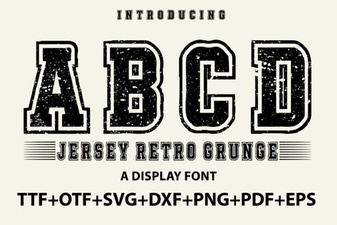 Jersey Retro Grunge Font for Bold Vintage Designs
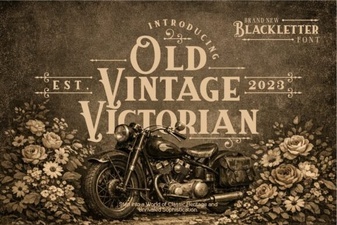 Elegant Old Vintage Victorian Font Design Ideas
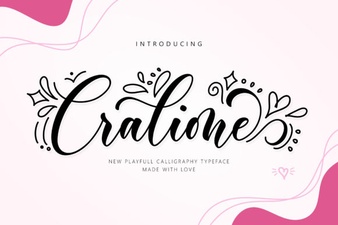 Cralione Script Font: Elegant Handwritten Typography for Creatives
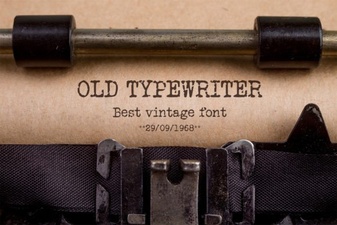 Vintage Typewriter Fonts for Creative Design Projects
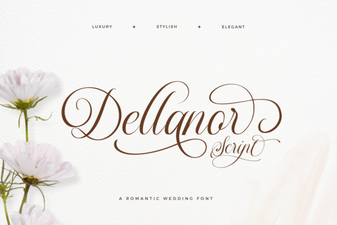 Dellanor Script Font: Elegant Handwritten Style for Designers
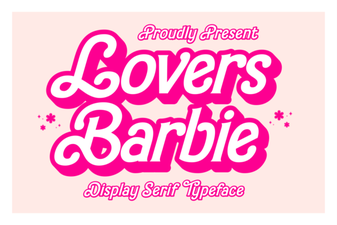 Lovers Barbie Font for Creative Design Projects