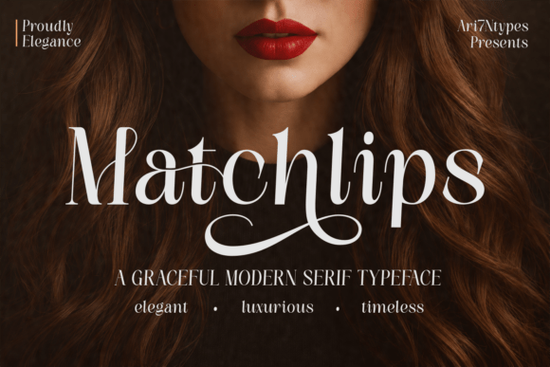
Looking for a serif typeface that feels both luxurious and modern? Matchlips Font is a beautifully designed serif with elegant curves, high-contrast letterforms, and decorative swashes that work perfectly for upscale design projects. Whether you're working on wedding invitations, beauty branding, or fashion editorials, this typeface brings a polished, refined look without feeling stiff or outdated.
If you've ever struggled to find a font that balances femininity with sophistication, this one hits that sweet spot. Let's look at what makes it stand out and whether it's the right fit for your next project.
What Makes Matchlips Different from Other Serif Fonts?
Plenty of serif fonts look elegant on paper but fall flat in real designs. Matchlips was built with high-fashion editorials and premium branding in mind, so every curve and stroke feels intentional. The letterforms have graceful contrast thick and thin strokes shift smoothly, giving text a sense of rhythm and movement.
What really sets it apart are the decorative swashes and stylish ligatures. These details add personality without making the text hard to read. You get a typeface that looks expensive and carefully crafted, even when you're using it straight out of the box.
Compared to something like Zanela's serif style, Matchlips leans more editorial and glamorous. It's less about classic book typography and more about that high-end magazine feel.
Who Is This Font Designed For?
Matchlips works especially well for anyone creating designs in the beauty, fashion, or luxury space. Here are some specific use cases:
- Cosmetic and skincare brands packaging, labels, and social media posts
- Jewelry designers logos, business cards, and lookbooks
- Wedding stationery invitations, menus, and place cards
- Fashion bloggers and editors magazine headlines and editorial layouts
- Print-on-demand sellers premium-looking quote designs and apparel graphics
- Boutique and small business owners brand identity and product packaging
If you sell on Etsy or run a small creative business, a font like this can make your mockups and product images look noticeably more professional. That matters when customers are scrolling through dozens of similar listings.
What Features Does Matchlips Include?
Here's what you get when you download Matchlips Font:
- Uppercase and lowercase characters with elegant proportions
- Decorative swashes for adding flair to key words or initials
- Stylish ligatures that create smooth letter connections
- Numerals and punctuation for complete design flexibility
- Multilingual support works across multiple languages
- PUA encoded characters easy access to special glyphs in any software
The PUA encoding is a practical detail worth noting. It means you can access all the swashes and alternates even in programs that don't natively support OpenType features, like basic versions of Canva or Cricut Design Space.
Where Does This Font Work Best?
Matchlips shines in projects where you want text to feel intentional and luxurious. Think about perfume labels, boutique logos, high-end product packaging, and social media content for lifestyle brands. The high-contrast letterforms stay readable even at smaller sizes, which is helpful for packaging text and subheadings.
For magazine-style layouts, pairing it with a clean sans-serif for body text creates a strong visual hierarchy. The serif does the heavy lifting on headlines while the sans-serif keeps longer passages easy to scan.
You can also explore this elegant serif typeface's full details and preview to see how it looks at different sizes and in various color combinations.
How to Get the Most Out of Matchlips
A few practical tips for working with this font:
- Use swashes sparingly. One or two decorative letters per word is usually enough. Overdoing it can make text feel cluttered.
- Give it breathing room. Generous letter spacing and line height let the elegant proportions stand out.
- Pair it wisely. A geometric sans-serif or a simple humanist font complements Matchlips without competing for attention.
- Test at multiple sizes. The font's details look different at headline size versus small label text, so check both before finalizing.
Quick Checklist Before You Buy
Before purchasing, make sure to:
- ✅ Check that the license covers your intended use (personal, commercial, POD, etc.)
- ✅ Download and test the font with your design software
- ✅ Preview swashes and ligatures to confirm they match your project style
- ✅ Consider pairing it with a complementary sans-serif for body text
- ✅ Look at how it renders on both screen and print if you're doing physical products
Taking ten minutes to test a font before committing to it can save you hours of rework later especially for client projects or product lines where consistency matters.
Explore Design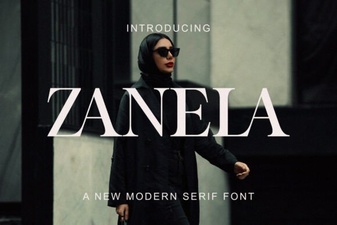 Zanela Font: a Bold Creative Typeface for Modern Design
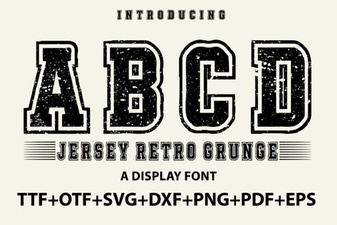 Jersey Retro Grunge Font for Bold Vintage Designs
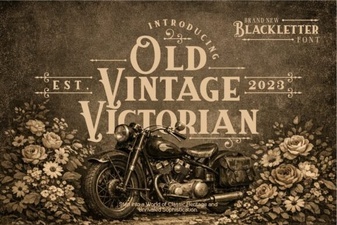 Elegant Old Vintage Victorian Font Design Ideas
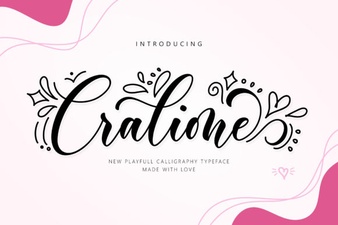 Cralione Script Font: Elegant Handwritten Typography for Creatives
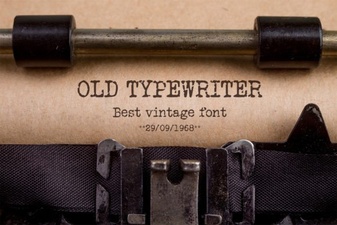 Vintage Typewriter Fonts for Creative Design Projects
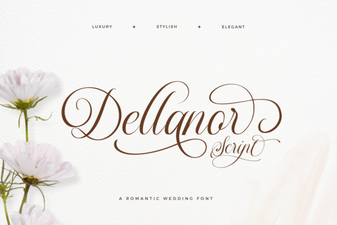 Dellanor Script Font: Elegant Handwritten Style for Designers