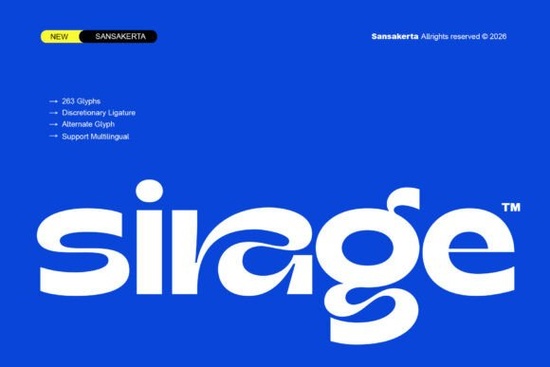
If you've been looking for a typeface that feels modern, clean, and a little daring, Sirage is worth a close look. This display sans serif font brings bold geometric shapes together with experimental alternate characters, giving you a typeface that works beautifully on everything from brand identities to social media graphics. It's the kind of font that makes headlines stand out without looking overdone.
Let's look at what makes Sirage practical for real design work and whether it fits your next project.
What Kind of Font Is Sirage?
Sirage is a modern display sans serif designed for use at larger sizes. It pairs clean, bold letterforms with smooth curves and contemporary shapes. The result is a typeface that looks polished and intentional the opposite of generic.
Where does it work best?
- Logos and brand identity clean enough for professional use, distinctive enough to be memorable
- Poster and editorial design strong visual presence on the page
- Website headers and hero text grabs attention above the fold
- Packaging and product labels bold lettering that reads well from a distance
- Social media graphics renders sharply across platforms and screen sizes
Unlike some display fonts that sacrifice readability for style, Sirage keeps every letterform clear. You can use it for headlines, titles, and short promotional text with confidence.
What Features Come With Sirage?
The feature set is one of the strongest reasons to consider this font. Here's what's included in the package:
- Uppercase and lowercase letters
- Numbers and punctuation
- Multilingual support for international projects
- Alternate characters for custom letter variations
- Stylistic ligatures that add a refined, polished look
- PUA encoding so all glyphs are accessible in any program
Files come in OTF, TTF, and WOFF formats. That means you're covered whether you design in Adobe Illustrator, Figma, Canva, or you're coding directly into a website. The PUA encoding is especially helpful for crafters and print-on-demand sellers working in Silhouette Studio or Cricut Design Space, where OpenType features aren't always supported natively.
Who Should Use Sirage?
Brand designers building visual identities Sirage delivers a modern, confident aesthetic that works across touchpoints. Pair it with a simpler companion font for body text. A clean option like the Brighter typeface can balance Sirage's expressive character nicely.
Print-on-demand sellers Bold display fonts tend to perform well on t-shirts, mugs, tote bags, and posters. Sirage's alternate characters let you customize designs so they feel unique, which helps your products stand out in crowded marketplaces.
Editorial and layout designers The clean geometry works well for magazine spreads, lookbooks, and annual reports. If your project calls for something with a slightly different personality, the Glavoire sans serif style offers another modern option worth comparing.
Social media managers and content creators Instagram posts, Pinterest graphics, YouTube thumbnails Sirage's bold weight and sharp shapes make text pop on screen. It holds up well at different sizes, which matters when most of your audience is on mobile.
How Does It Compare to Other Display Fonts?
The market for sans serif display fonts is crowded. What gives Sirage an edge is the combination of alternates and ligatures. These features let you customize letterforms without manually editing vector paths a real time-saver when you're working on multiple designs.
If you want to explore other styles in the same space, take a look at Glavoire or Brighter both offer their own take on modern sans serif design. Having a few reliable display fonts in your toolkit means you can match the right typeface to each project's mood.
Practical Tips for Working With Sirage
- Set it at larger sizes. Display fonts like this are built for headlines, not body copy. The details get lost below 18pt.
- Explore the alternates. Swap in different letterforms to create visual interest especially useful for logos where every detail counts.
- Balance it with a quieter font. Sirage is bold and expressive. Pair it with a neutral sans serif or serif for running text.
- Test multilingual characters. If your project spans multiple languages, verify the specific glyphs you need before committing.
- Use WOFF for web work. It's optimized for browsers and loads efficiently.
Before You Download
- Do you need a bold display font for headlines, logos, or packaging?
- Will you take advantage of alternate characters and ligatures?
- Do you need files that work across desktop apps and web platforms?
- Is multilingual support part of your requirements?
If you answered yes to most of these, Sirage is a strong fit. You can find Sirage along with other modern typefaces through the full font details page. Try pairing it with a project you've been putting off the right typeface often makes the rest of the design fall into place faster. Learn More
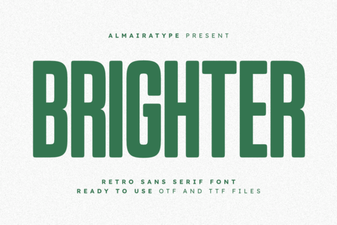 How Brighter Font Styles Elevate Your Design Projects
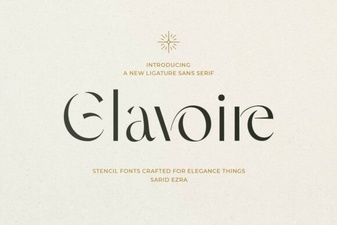 Elegant Glavoire Font for Creative Designs
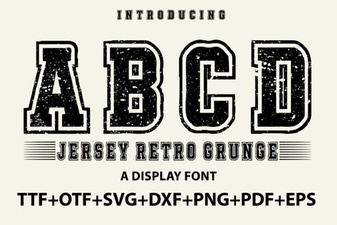 Jersey Retro Grunge Font for Bold Vintage Designs
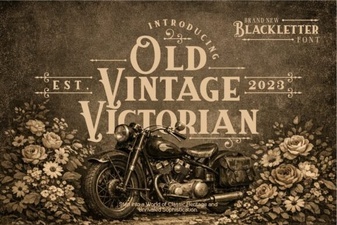 Elegant Old Vintage Victorian Font Design Ideas
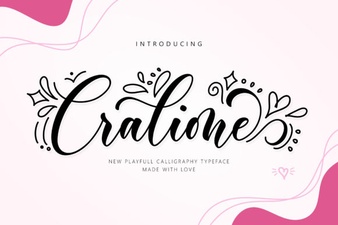 Cralione Script Font: Elegant Handwritten Typography for Creatives
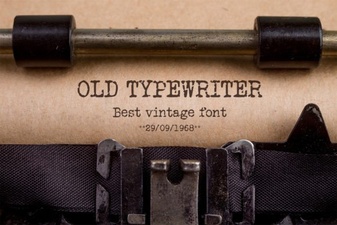 Vintage Typewriter Fonts for Creative Design Projects