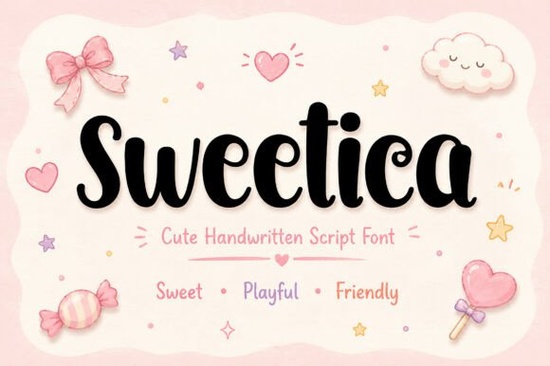
If you're looking for a cute handwritten font that works across many different design projects, Sweetica is worth a closer look. It's a playful script font with soft curves and a friendly, handmade feel that fits perfectly into branding, packaging, invitations, and all kinds of creative work. Whether you're an Etsy seller, a small business owner, or someone who just loves crafting, this font brings a warm and cheerful personality to your designs.
What makes Sweetica different from other handwritten fonts?
There are plenty of handwritten script fonts available, but Sweetica stands out because of its rounded letterforms and smooth flow. It doesn't try to look overly fancy instead, it keeps things simple, warm, and approachable. That balance makes it work well for both playful kids' designs and more polished branding projects.
Compared to something like a more flowing calligraphy style, Sweetica leans toward a friendlier, rounder aesthetic. It feels casual and inviting rather than formal, which is exactly what many designers need for everyday projects.
What can you use Sweetica for?
This font is versatile enough to handle a wide range of creative needs. Here are some of the most popular ways designers and small business owners put it to work:
- Product packaging candy labels, treat boxes, and snack wrappers
- Kids' branding nursery prints, baby shower invitations, and children's party supplies
- Greeting cards birthday cards, thank-you notes, and holiday messages
- Social media Instagram posts, Pinterest templates, and story graphics
- Print-on-demand t-shirt designs, mug graphics, tote bags, and notebook covers
- DIY projects stickers, printable quotes, and Cricut crafts
If you sell printable products or run a small shop, Sweetica adds that handmade charm customers appreciate without you needing to actually hand-letter everything yourself.
Does it work with the tools I already use?
Yes. Sweetica is PUA encoded and works on both Mac and Windows. You can use it in:
- Adobe Illustrator and Photoshop
- Canva
- Cricut Design Space
- Procreate
Installation is simple download the font files, install them on your computer, and start using them right away in your preferred design software.
What font features does Sweetica include?
Sweetica comes with a solid set of features that make it practical for real design work:
- Uppercase and lowercase letters
- Numbers and punctuation
- Ligatures for natural-looking letter connections
- Alternates for more design flexibility
The alternates are especially helpful when you want to avoid repetitive letter shapes a common issue with script fonts. Those extra options let your text look more natural and varied, which matters a lot in polished designs.
How does it compare to other script fonts?
Sweetica sits in a nice middle ground between casual and refined. If you need something more elegant for wedding invitations, this elegant script option might be a better fit. For baby-specific projects, a dedicated baby handwriting style could also work well.
That said, Sweetica's versatility is what makes it a smart addition to any font library. It handles kids' themes, casual branding, and playful social media content equally well. If you're working on seasonal designs, pairing it with something like a holiday-themed script gives you options for both everyday and festive projects.
And if you take on lots of different client work or sell across multiple niches, investing in a font bundle with multiple script styles can save you money while expanding your creative toolkit.
Is Sweetica good for print-on-demand sellers?
Absolutely. One of the biggest challenges for POD sellers is finding fonts that look distinctive but stay readable at smaller sizes. Sweetica's clean curves hold up well on products like mugs, t-shirts, and stickers. It also pairs nicely with a simple sans-serif font for designs that mix a hand-lettered headline with clean body text.
For social media templates especially on Instagram and Pinterest Sweetica gives your graphics a warm, personal touch that feels different from the overused fonts everyone else picks.
Quick checklist before you start
- Check your use case Do you need a playful, rounded script? Sweetica fits that need well.
- Confirm your software It works in Canva, Cricut, Procreate, Adobe apps, and more.
- Review the license Make sure the license covers your intended personal or commercial use.
- Explore alternates and ligatures Test the extra characters to get the most natural-looking results.
- Pair it wisely Combine Sweetica with a clean sans-serif font for balanced, professional designs.
Tip: Before starting a new project, type out your full text in the font first. This helps you spot any letter combinations that look better with alternates and ensures the overall look matches your vision before you commit to a layout.
Try It Free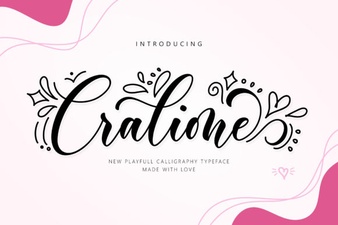 Cralione Script Font: Elegant Handwritten Typography for Creatives
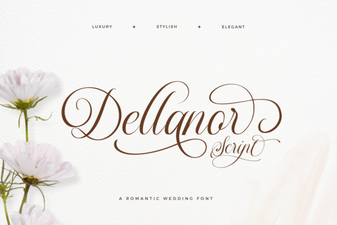 Dellanor Script Font: Elegant Handwritten Style for Designers
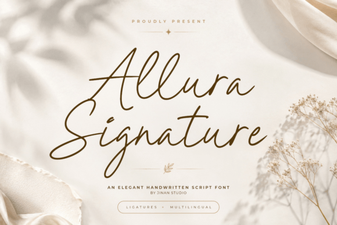 Allura Signature Font: Elegant Script for Creative Designs
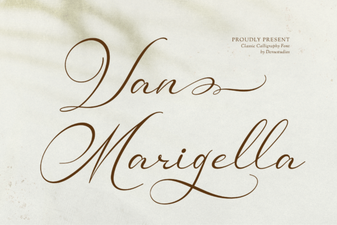 Van Marigella Font: Elegant Script for Creative Projects
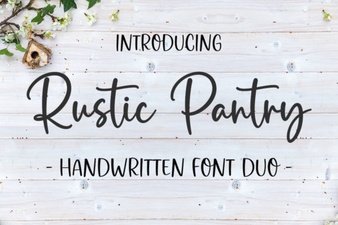 Rustic Pantry Font – Free Script Font Download
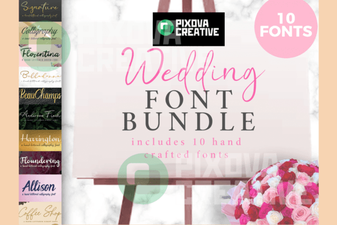 Wedding Font Bundle: 10 Stunning Fonts for Invitations